**FUNCIONAN ONLINE ES DECIR, LOS ALUMNOS PUEDEN EDITAR EL CÓDIGO Y VER EL RESULTADO**
Supongamos que queremos que los alumnos practiquen el siguiente script ```python inp = input('Enter Fahrenheit Temperature:') try: fahr = float(inp) cel = (fahr - 32.0) * 5.0 / 9.0 print(cel) except: print('Please enter a number') # Code: http://www.py4e.com/code3/fahren2.py # Or select Download from this trinket's left-hand menu ``` Creamos esta lección [https://trinket.io/python3/5dbec1550b](https://trinket.io/python3/5dbec1550b) Aquí tenemos el código embed [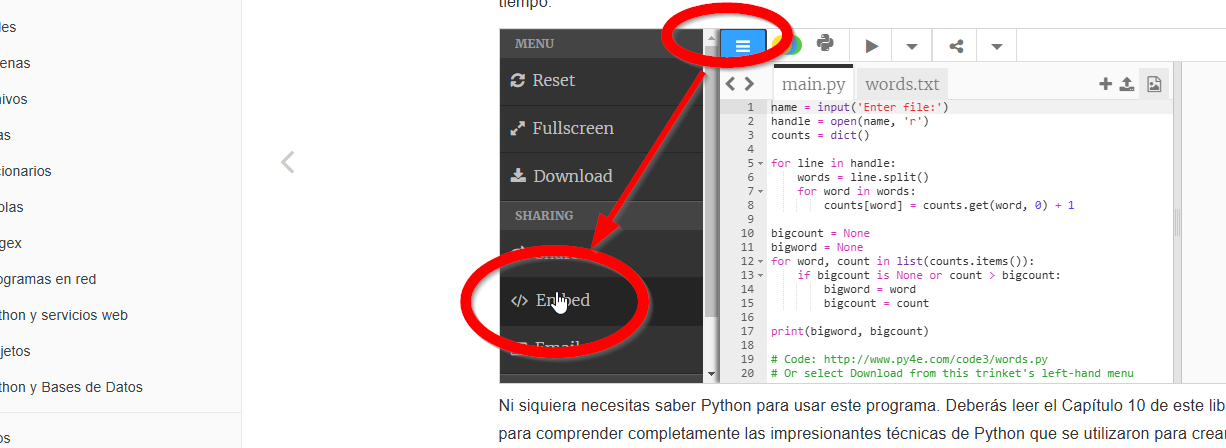](https://libros.catedu.es/uploads/images/gallery/2025-03/NzAimage.png) Copiamos el código embed [](https://libros.catedu.es/uploads/images/gallery/2025-03/image-1.png) Y lo pegamos en nuestro blog **ESTE ES EL RESULTADO****😊Venga juega con el código y dale al play😊**