# Sigue líneas

##### <span style="color: rgb(22, 145, 121);">**SIGUE LÍNEAS**</span>  


<span style="color: rgb(0, 0, 0);">El programa es sencillo, inicializo la cámara en modo "tracking" y en el bucle del programa si va hacia la derecha, giro a la derecha, si ...</span>

<div id="bkmrk--1" style="position: relative; height: 0; padding-bottom: 70%; overflow: hidden;">SDEGECC<iframe frameborder="0" sandbox="allow-popups allow-forms allow-scripts allow-same-origin" src="https://makecode.microbit.org/#pub:S79670-27125-06311-49807" style="position: absolute; top: 0; left: 0; width: 100%; height: 100%;"></iframe>

</div>Fuente [https://www.elecfreaks.com/learn-en/microbitKit/smart\_cutebot/cutebot%2BAI%20lens/cutebot\_case16.html](https://www.elecfreaks.com/learn-en/microbitKit/smart_cutebot/cutebot%2BAI%20lens/cutebot_case16.html)

Como se puede ver, cuando tiene curvas cerradas se pierde, una solución es bajar la velocidad

<iframe allow="accelerometer; autoplay; clipboard-write; encrypted-media; gyroscope; picture-in-picture; web-share" allowfullscreen="allowfullscreen" frameborder="0" height="849" src="https://www.youtube.com/embed/3kpbLtqLDvI" title="CUTEBOT AI LENS SIGUE LÍNEAS" width="478"></iframe>

Aunque los de Elecfreaks les sale muy bien:

[![2024-11-23 07_52_57-Microsoft MakeCode for micro_bit.png](https://www.elecfreaks.com/learn-en/_images/case-16-04.gif)](https://www.elecfreaks.com/learn-en/_images/case-16-04.gif)
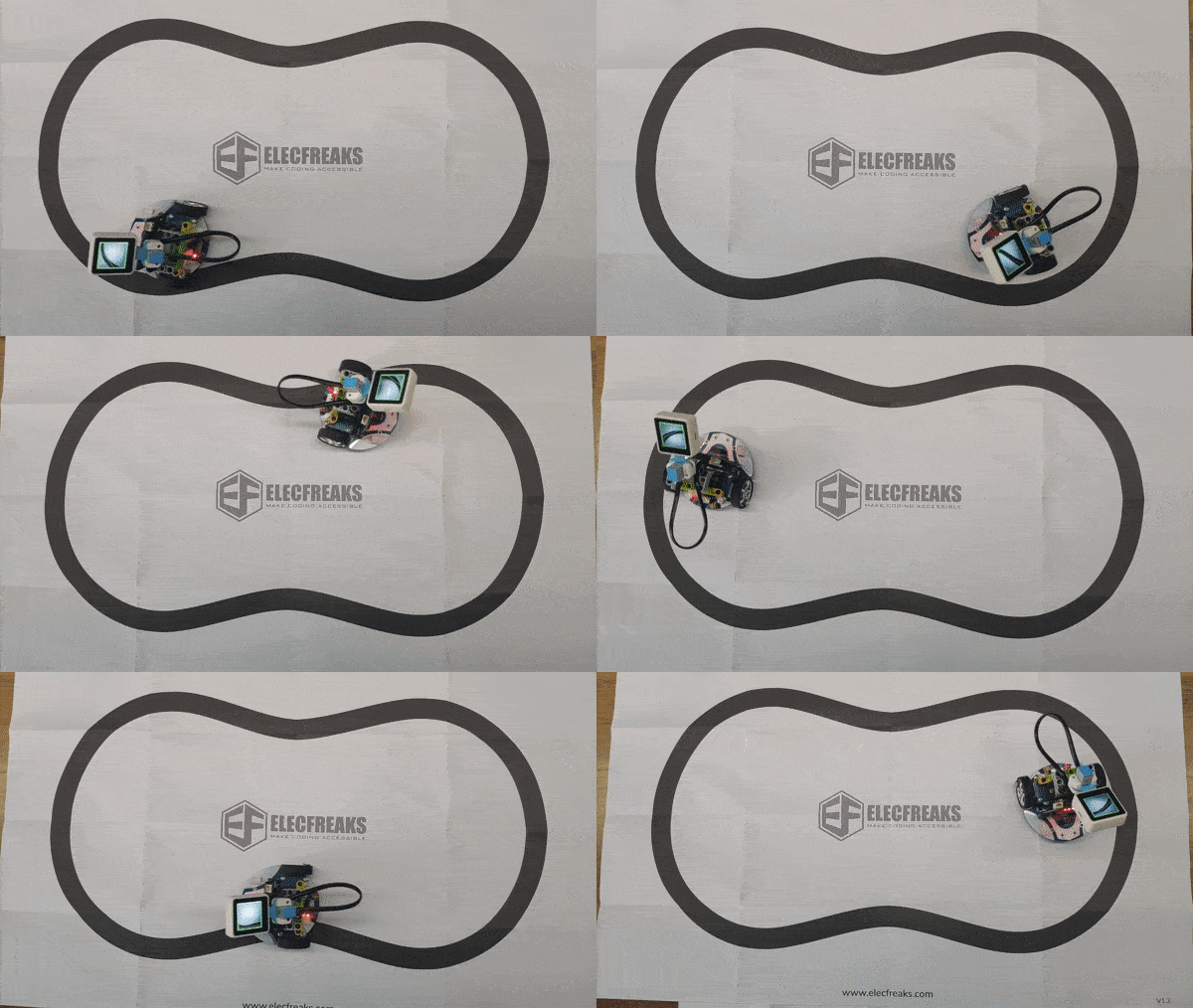
Fuente: [https://www.elecfreaks.com/learn-en/microbitKit/smart\_cutebot/cutebot%2BAI%20lens/cutebot\_case16.html#result](https://www.elecfreaks.com/learn-en/microbitKit/smart_cutebot/cutebot%2BAI%20lens/cutebot_case16.html#result)