# Más prácticas con Cutebot
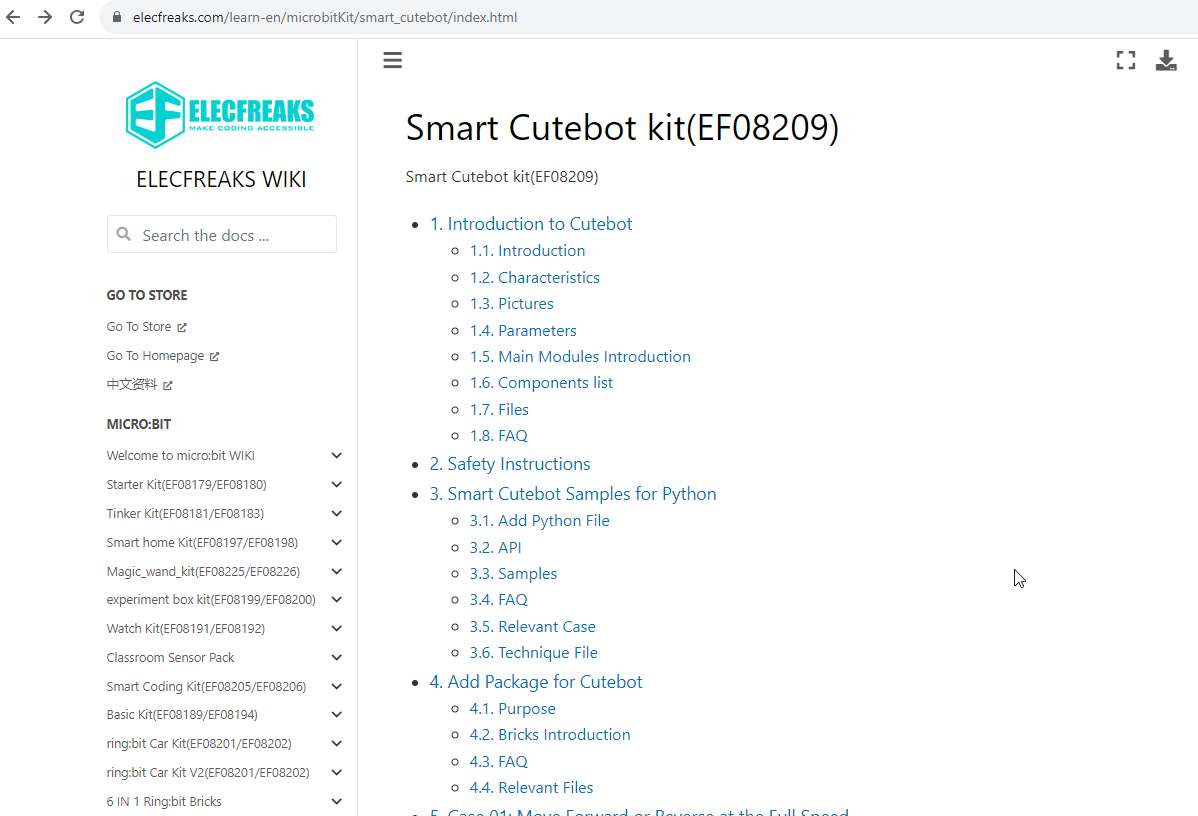
En la wiki de la empresa de Cutebot: Elecfreaks [https://elecfreaks.com/learn-en/microbitKit/smart\_cutebot/index.html](https://elecfreaks.com/learn-en/microbitKit/smart_cutebot/index.html) encontrarás 14 prácticas muy interesantes, que no podemos reproducir en este libro por tener los derechos reservados :
1. **[ Case 01: Move Forward or Reverse at the Full Speed](https://elecfreaks.com/learn-en/microbitKit/smart_cutebot/cutebot_case01.html)**
1. Una práctica sencilla que según el botón que aprietas en en microbit ejecuta una velocidad u otra
2. **[Case 02: Speed Up Gradually](https://elecfreaks.com/learn-en/microbitKit/smart_cutebot/cutebot_case02.html)**
1. El cutebot va ganando velocidad
3. **[Case 03: Dance in Figure-of-eight](https://elecfreaks.com/learn-en/microbitKit/smart_cutebot/cutebot_case03.html)**
1. El cutebot hace el recorrido de un 8
4. [**Case 04: Run at Rando**m](https://elecfreaks.com/learn-en/microbitKit/smart_cutebot/cutebot_case04.html)
1. El cutebot danza de forma aleatoria
5. **[Case 05: Automatic Headlights](https://elecfreaks.com/learn-en/microbitKit/smart_cutebot/cutebot_case05.html)**.
1. Si es de noche, se encienden las luces
6. **[Case 06: Steering&Clearance Lamps](https://elecfreaks.com/learn-en/microbitKit/smart_cutebot/cutebot_case06.html)**.
1. Según los botones, las lámparas flashean 5 veces
7. [**Case 07: Fall-arrest Cutebot**.](https://elecfreaks.com/learn-en/microbitKit/smart_cutebot/cutebot_case07.html)
1. En la wiki pone que el propósito es que cuando detecta el borde de la mesa, vuelve atrás y gira. **ATENCIÓN** no aconsejable hacerlo en una mesa, por el peligro de caída, se recomienda hacer una figura cerrada con cinta negra y el cutebot no saldrá del recinto.
8. [ **Case 08: Run Along the Black Line**.](https://elecfreaks.com/learn-en/microbitKit/smart_cutebot/cutebot_case08.html)
1. El típico siguelíneas
9. [**Case 09: Autonomous Obstacle Avoidance**](https://elecfreaks.com/learn-en/microbitKit/smart_cutebot/cutebot_case09.html).
1. El típico salva-obstáculos
10. **[Case 10: Car Following with A Fixed Distance](https://elecfreaks.com/learn-en/microbitKit/smart_cutebot/cutebot_case10.html)**.
1. Cutebot se mueve siguiendo tu mano, manteniendo una distancia fija.
11. **[Case 11: micro:bit Remote Control](https://elecfreaks.com/learn-en/microbitKit/smart_cutebot/cutebot_case11.html)**.
1. coche teledirigido con otro microbit y los botones
12. **[Case 12: Remote Control the Cutebot with micro:bit Accelerometer](https://elecfreaks.com/learn-en/microbitKit/smart_cutebot/cutebot_case12.html)**.
1. el mismo ejemplo pero usando el acelerómetro (inclinación) en vez de los botones
13. (omitimos este ejemplo pues requiere un joystick no proporcionado en el kit)
14. **[ Case 14: IR Remote Control Car](https://elecfreaks.com/learn-en/microbitKit/smart_cutebot/cutebot_case14.html)**.
1. 1. coche teledirigido pero con el mando IR
15. [**Case15: Seeking the Light**](https://elecfreaks.com/learn-en/microbitKit/smart_cutebot/cutebot_case15.html).
1. Cutebot sigue la luz
Hay más retos pero con accesorios que no se proporciona en el kit básico
[Versión pdf](https://docs.rs-online.com/089a/A700000007852744.pdf)
[](https://libros.catedu.es/uploads/images/gallery/2023-09/wikicutebot.jpg)